Booking · POS · Staff app · Custom apps · Philippines
Affordable apps for businesses of every size.
Run bookings, sales, staff and the day's numbers from one phone app, without the expensive software. For barbers, groomers, salons, cafés, restaurants and online sellers.
One app, your kind of shop
Pick your edition. Everything else switches on when you need it.
Every business gets the same full app with its own design, whether it's one chair or twenty branches. Your edition just turns on the parts you use, so your screens stay simple.
Barbershop
Booking, calendar, commission, payroll
ownerflowhq.com/barber
Pet grooming
Size-based prices, pet profiles, tracker
ownerflowhq.com/grooming
Salon & home service
Booking requests, travel area, stylists
ownerflowhq.com/salon
Spa & nails
Treatment rooms, health form, home service
ownerflowhq.com/spa
Home services
Aircon, cleaning, pest control, technician route
ownerflowhq.com/homeservice
Laundry
Per kilo or pound, load tags, pickup and delivery
ownerflowhq.com/laundry
Repair shop
Job tickets, quote approval, repair tracking, warranty
ownerflowhq.com/repair
Car wash & detailing
Prices by vehicle size, wash bays, wash club memberships
ownerflowhq.com/carwash
Gym & fitness studio
Class schedule with spots, memberships, check-in, waivers
ownerflowhq.com/gym
Photo studio & makeup
Packages with photo counts, proof picks online, photo-use consent
ownerflowhq.com/photo
Bakery & cake shop
Bread for today, cake pre-orders, daily limits, cake messages
ownerflowhq.com/bakery
Catering & events
Per-guest packages, event details, events per day, event sheets
ownerflowhq.com/catering
Rentals
Units free per day, pickup and return dates, deposits, ID photo with consent
ownerflowhq.com/rental
Tutoring & review center
Parents book, session notes, group classes, tuition plans
ownerflowhq.com/tutoring
Water refilling & delivery
Delivery runs, containers per customer, water test log
ownerflowhq.com/water
Resort & private pool
Day tour, cottages, private pool blocks, Arrivals
ownerflowhq.com/resort
Printing & tailoring
Price by size, design proof, measurements, Jobs board
ownerflowhq.com/mto
Café
Order ahead, dine-in by QR, counter POS
ownerflowhq.com/cafe
Food stall
Menu, order ahead, counter sell, Solo ₱199/year
ownerflowhq.com/foodstall
Restaurant
Menu, pickup orders, Close the day
ownerflowhq.com/restaurant
Online seller
Orders, utang & hulugan, stockOrders, pay later & installments, stock
ownerflowhq.com/seller
Sari-sari store
Tingi, utang, stock, Close the day
ownerflowhq.com/sarisari
Bed & breakfast
Room calendar, GCash deposits, housekeeping, breakfast count
ownerflowhq.com/bnb
Pet hotel
Kennel calendar, prices by pet size, care board
ownerflowhq.com/pethotel
Micro Apps
Small apps and free tools: Paluwagan, Secret Santa, RU Smart Games, Prompt Builder.
ownerflowhq.com/apps
Custom app builds
You plan it, we build it
ownerflowhq.com/custom
Why shops switch to us
Built for how a Philippine shop really runs.Built for how a real shop runs.
GCash & Maya day one
Pay at the counter or by QR with a reference number. We never hold your money, and there are no gateway fees to start.
Pay at the counter day one
Cash, card terminal or bank transfer with a reference number. We never hold your money. Online card payments come with the gateway.
No SMS, no surprise fees
Customers get booking updates by email, push or in-app message. Nothing per message. Reminders before a visit are coming soon.
Senior & PWD built in
The legal discount with name and ID, Privacy and Terms consent on every booking, and an on-screen Order summary.
Discounts and consent built in
Named discounts with a reason, Privacy and Terms consent on every booking, and an on-screen Order summary.
Setup from your phone
A Setup checklist that ticks itself off. Who can sign in, share your link, export your data. No accountant needed.
Your brand, not ours
Your logo, colors sampled from it, one font pair, your photos. Only a small "Powered by OwnerFlowHQ" at the bottom.
Same full app for everyone
No feature tiers. Price depends only on shop size and users. Design never changes your monthly price.
How it works
From one form to a working shop in two weeks.

Try the demo, pick your plan
Tap through the live demo for your kind of business. Your team size picks the plan; every plan has the full app.

One setup form, one agreement
Everything we need in one go: services, team, hours, logo, photos. You accept the written agreement at the end. Chat or email only; no calls unless you ask.
14-day setup period
Your shop opens with your answers loaded and the Smart AI Assistant switched on to finish the setup with you. Want a person to do it or a live session? That is the one-time setup fee.
Your plan starts on day 15
The first month is paid on day 15, then monthly. Cancel before day 15 and you pay nothing. Help stays a screen away inside the app.
Watch it work
Short videos, real screens.
A one-minute intro for each product, recorded on the demo shops. Pick one below, or open Help & how-to for step-by-step videos.
Pricing
One full app. You pay for your team size, not features.
Solo ₱199 a year. Shops from ₱299 a month, flat. No lock-in, no SMS fees, no cut of your sales.From $29 a month per location, flat. No lock-in, no per-booking fees, no cut of your sales.
Micro Apps store
Small apps for everyday hustle.
For the side hustle and the barangayneighborhood group. Install from the browser, no app store. Start with the free Paluwagan App.
Paluwagan App
Run your paluwagan without the notebook. Members, schedule, who paid, who's next.
What's inside
Works on
Record-keeping only. The app never holds or moves money; your group pays each other as before.
Micro Apps are sold in the Philippines only for now. Ask us if you want one.
Live demos
Tap through a real working shop
Working demo shops with sample data, every role: customer booking, owner home, front desk and staff app. Demo logins reset nightly.
Service
Need a website, or something custom?
Website only, website + booking, or an app you planned yourself. Fixed quote, test links per milestone, your data stays yours.
OwnerFlow Shop
The shop app. Booking, orders, POS and staff in one place.
One shared app for every kind of shop. Your business type switches the right modules on; your brand makes it yours.
Editions
Choose your kind of shop.
Set up in minutes
No typing everything in by hand.
Setup helper
Tell it what to change
Type it the way you'd say it: "Add Kids cut, 200, 30 minutes" or "We open 9 to 7, closed Sunday". The helper prepares the change, shows it to you, and saves only when you tap Confirm. It never touches sales, payouts, refunds or your customers' details.
Owner only. Included in every shop plan above Solo.
Import your setup
Bring your lists in one file
Menu or services, products and team from one spreadsheet (Excel, CSV or rows pasted from Google Sheets). You see what is new, what changed and what needs fixing before anything saves. Nothing is deleted, and you can undo for 24 hours. Drop your photos at once: they match by file name.
Moving from another app? Upload its export; columns are matched by name.
Three designs
Pick the look you like
Your shop comes in three designs (Signature, Sheet and Market) with your own logo, colours and services. Switch between them on your phone and keep the one that feels like your shop. Same screens and features in all three; only the style changes.
Everyone gets the same full app
What's included, day one.
For customers
- ✓Homepage with open status, two big actions, hours, map, Messenger and Call
- ✓Services or menu with prices (per size where used)
- ✓Online booking with My booking, or order for pickup with a status tracker
- ✓Senior / PWD discountNamed discounts with a reason, on-screen Order summary
- ✓In-app messenger, sign in with Google or an email code, My history
- ✓FAQ and Ask-us bot, Privacy and Terms consent on every booking
For the owner
- ✓Owner home: live sales, Needs-you list, profit and break-even
- ✓Setup checklist (10 steps) that ticks itself from your data
- ✓Who can sign in · Share your booking link with QR · Export your data (CSV)
- ✓Prices, stock, Today KPIs, Insights, up to 19 reports, report images
- ✓Expenses, P&L, weekly payouts, pay rules and commission, activity log
- ✓Owner PIN for voids, refunds and custom discounts
For the team
- ✓Front desk: queue and next up, walk-in sale, checkout, pickup orders
- ✓Close the day with a bill-and-coin counter
- ✓Staff app: My day, My numbers, weekly statements (own numbers only)
- ✓Accountant login: reports only
- ✓Each role gets its own home, at most 5 menu items on a phone
- ✓Light / dark theme on every screen, plain Taglisheveryday labels
The app records sales and inventory for monitoring. It is not an invoicing system and never issues an invoice; your shop keeps issuing its own BIR invoiceofficial receipts as before.
Micro Apps store
Small apps. Fair prices. No app store.
Made for micro-business-minded people: the side hustle, the barangayneighborhood group, the family business. Open here, install like an app, no app store.

Paluwagan App
Members, payout order, payment records, collection messages, share images, dashboard and reports. Record-keeping only; never holds money.
Secret Santa
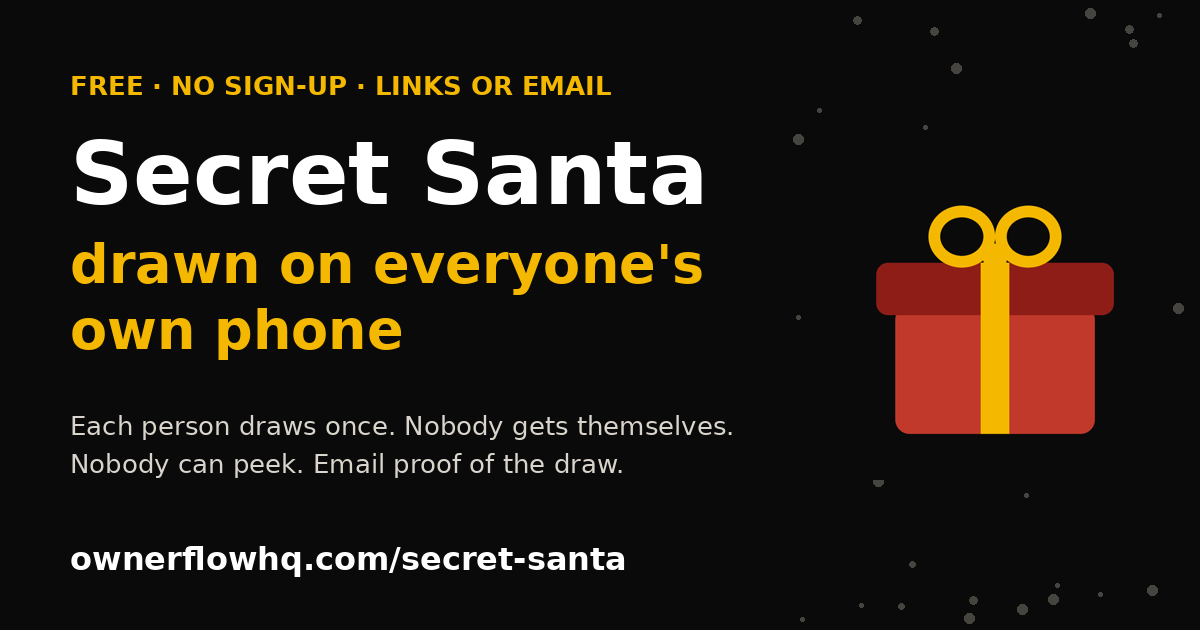
Draw names for the office, family or barkada. Each person draws on their own phone; nobody sees who got who. Wish lists, email invites, up to 300 people.
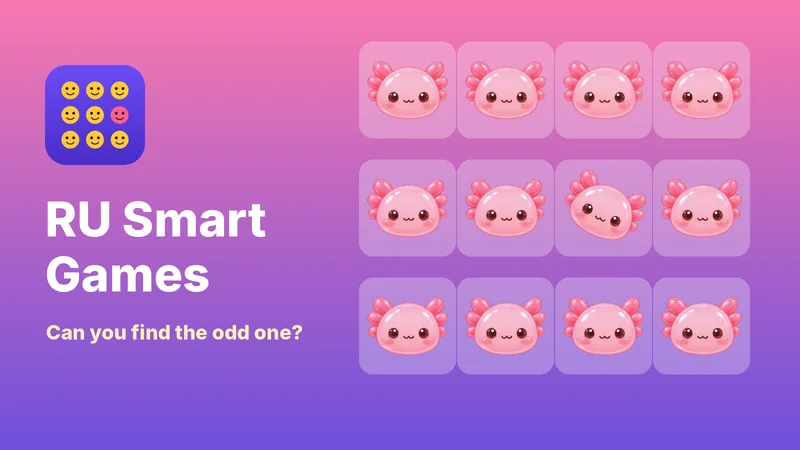
RU Smart Games
Find the Odd Emoji, ABC Quiz and Spot the Difference in one app. 3 lives per level, share your score with friends. Plays offline, no sign-up.

Prompt Builder
Ready-to-copy prompts for AI product videos and photos in Google Flow (Veo), made for TikTok affiliates and online sellersaffiliate creators and online sellers. Pick a preset or build your own: product videos, talking ads, modeling and photos. Save your favorites so every video looks different.

Order & Pickup Solo
For one stall, one person: your menu online, order ahead with a status page, counter sell with cash or GCash/Maya QR, close the day and simple reports. Move up to the Food Stall edition when you hire crew; your records stay.

Seller Solo
For one seller: your products with stock and low-stock alerts, orders for pickup or meet-up with a status page, sell in person with cash or GCash/Maya QR, utang (pay later) per customer, close the day and simple reports. Move up to the Seller edition for hulugan and helpers; your records stay.
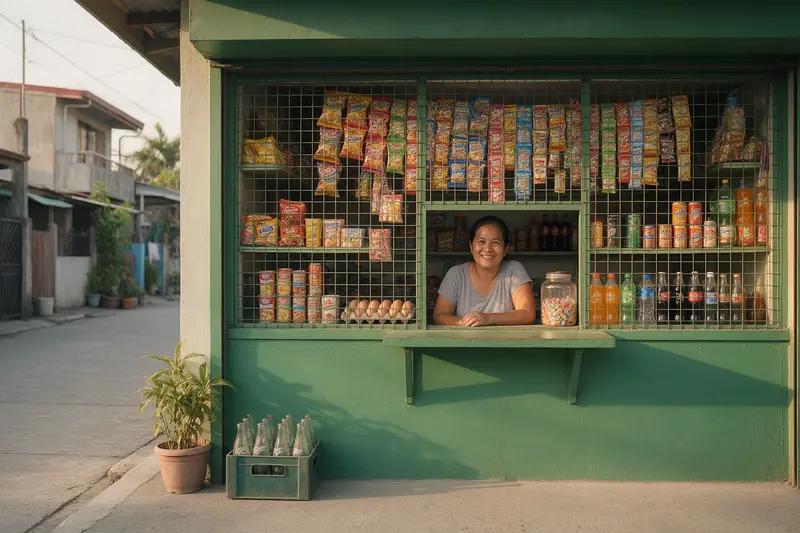
Sari-sari Solo
For one owner: counter sell with tingi (per piece or by the pack), stock and low-stock alerts, utang per suki, pabili orders and Close the day. Move up when a bantay needs their own sign-in, expenses and profit; your records stay.
Your request
Tell us the tiny app you wish existed. The most-asked ones get built first.
How it works
Open it, use it, keep it.
Open the app
Free, no sign-up, no card. It opens in your phone's browser.
Add it to your home screen
It then opens like a normal app. The Paluwagan App and the games work even without internet. No app store.
Your records stay with you
The Paluwagan App and the games keep everything on your phone. Save a backup file to your Google Drive, email or Messenger.
Help inside the app
A step-by-step Guide and a Suggestion box. Email support@ownerflowhq.com for anything else, answered within 7 days.
Micro Apps › Paluwagan App
Micro App · Free
Paluwagan App
Sino na ang nakakuha, sino ang susunod, sino ang hindi pa nagbabayad.Who has received, who is next, who hasn't paid yet. All on one screen, with images and messages ready to send to your group chat.
- ✓Members and payout order. Daily, weekly, kinsenas or monthly. Set the order or draw lots (bunutan); 2 slots for one member is fine.
- ✓Payment records. GCash, Maya, cash or bank with the reference number. Kulang and late payments stand out.
- ✓Tell the members. A share image of who paid and where to pay, a ready collection message, and each member's own record to send privately.
- ✓Reminders. Due dates go into your phone's calendar; the app shows who is due and late when you open it. No SMS fees.
- ✓Dashboard and reports. Collected per month, who owes, on-time rate, payouts given, CSV export.
- ✓Item paluwagan too. Give an item (rice cooker, phone, grocery pack) instead of the cash pot.
- ✓Your records stay on your phone. We don't keep your members or payments; save a backup file to your own Google Drive. Works offline.
- ✓Your look. Your name at the top, 6 theme colors, light or dark.
| Paluwagan App | Notebook / spreadsheet | |
|---|---|---|
| Who's next | Always on top | Scroll and count |
| Who hasn't paid | Highlighted | Check row by row |
| Reminders | Calendar + ready messages | You message everyone |
| Tell the group | One-tap image | Screenshots |
| Cost | Free | Free, plus your time |
Free: every feature, no sign-up and no card. We keep it free by showing our other apps on the Our apps page.
The Paluwagan App is a record-keeping tool. It does not collect, hold or pay out money and is not a lending or investment service. Your group stays responsible for its own agreement.
Services
Websites and custom apps for micro and personal businesses.
Same low prices, same full quality. You own your domain, your data and your content, and you can take them with you any time.
Packages
Pick what you need, or any combination.
Website
A fast one-page or multi-page site on your own address. Phone first, light/dark, Messenger and map built in.
- ✓Your logo and colors
- ✓Hosting on our platform (free tier)
- ✓You keep your domain, content and photos
Most popular
Website + Booking or Ordering
Your site plus the shop app: online booking or order-for-pickup, owner home, front desk, staff app.
- ✓Self-setup free, or done-for-you setup fee
- ✓Flat monthly price, no increase in year two
- ✓Two weeks of hands-on support
Custom app build
You design and plan the app; we build it. Fixed quote, test links per milestone, then a small monthly subscription.
- ✓Written summary you confirm before any price
- ✓Contract and deposit, then build
- ✓Final payment at launch
The flow
Chat and email, written at every step.
Get a Quote form
The form is your requirements. No call unless you ask for one.
Written summary
We send back what we understood; you confirm or correct it.
First draft, fixed quote
A tappable draft and one price. Deposit starts the build.
Launch and support
Test links per milestone, final payment at go-live, two weeks of help.
Design
Every shop gets its own look.
Design never changes your monthly price. It is a one-time choice.
Ready look
Pick a starting look from our kit, set it up yourself. Free.
Done-for-you
We sample your logo, pick the font pair and layout, add your photos and words.
Custom design
A look the kit can't make yet. Your new blocks join the kit afterwards.
Live demos
Don't trust screenshots. Tap through a working shop.
Fictional shops, sample data, every role. Demo admin logins reset nightly. Each demo also doubles as a starting look for your own shop.
Demo Barbershop
Customer booking, My booking, owner home with the Setup checklist, front desk, staff My day and My numbers, reports. Screens with sample-only features are marked in the demo.
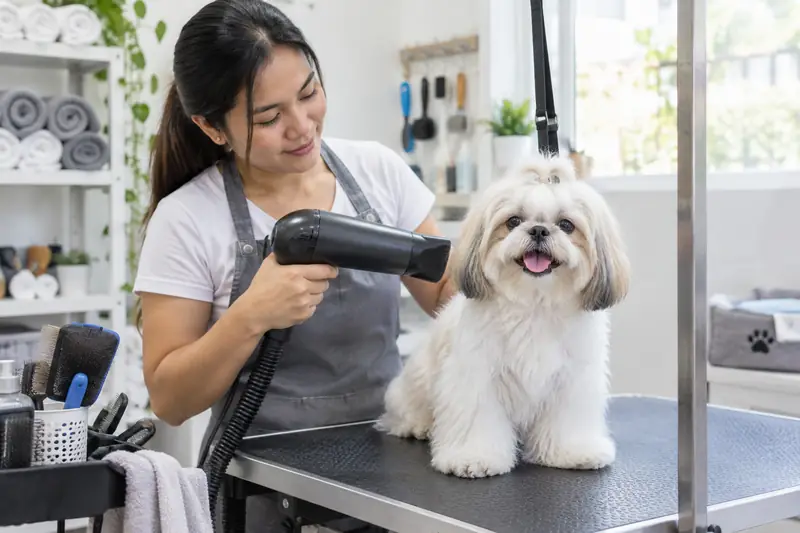
Demo Pet Spa
Booking by pet size with the price shown first, pet profiles with vaccine cards, the grooming tracker owners refresh while they wait, groomer My day and My numbers, front desk checkout, pets due back and reports.
Demo Salon
Booking requests you accept or decline, home service with the client's address and your service area, color and keratin priced "from" with the final price set when you accept, stylist My day and My numbers, front desk checkout and reports.
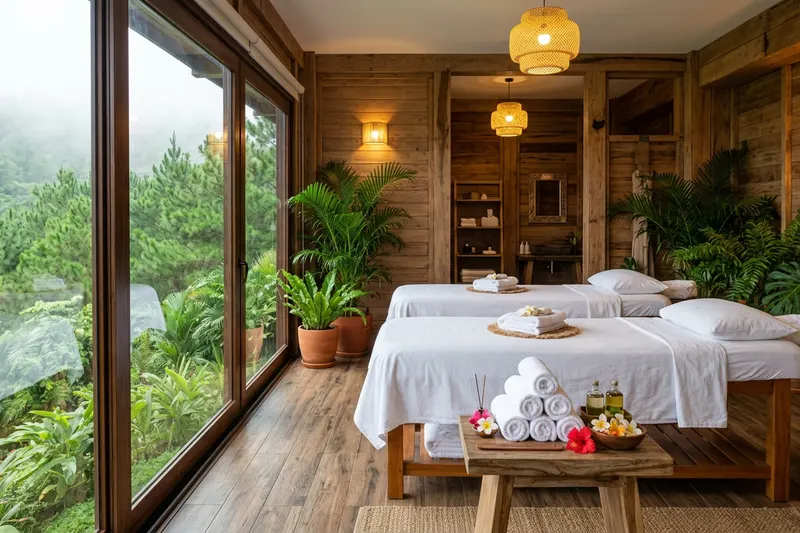
Demo Spa
Times show as free only when a treatment room is free, a short health and consent form before every booking, home service massage with your service area, therapist My day and tips, front desk checkout and reports.
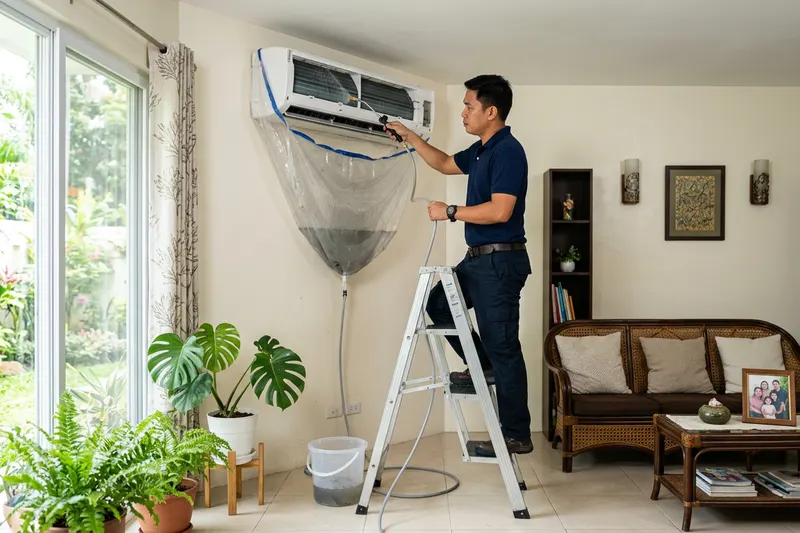
Demo Home Services
Every job at the client's home with your service area, check-ups priced after inspection, a job checklist your technician ticks on site, today's route in Google Maps, rebook reminders every 3 or 6 months, and reports.
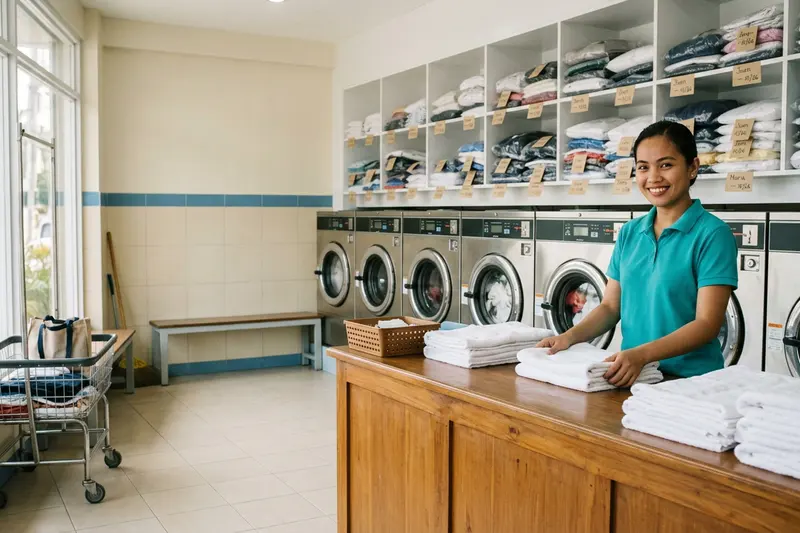
Demo Laundry
Wash, dry and fold priced per kilopound with a minimum load, weigh-in with a load tag for every bag, washing to ready status the customer follows, home pickup and delivery runs for your rider, sales tax per service, and reports.
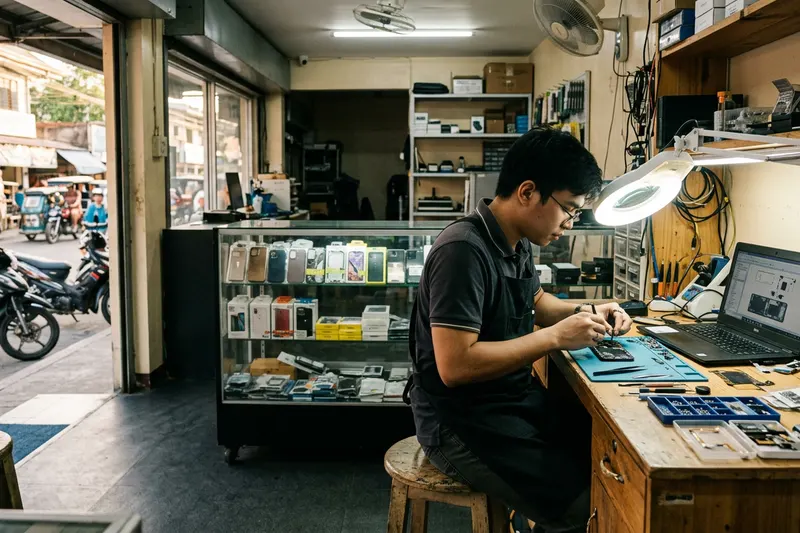
Demo Repair Shop
Drop-off booking with the device and the problem, check-in with condition and photos, a quote the customer approves on their phone, a Track a repair page with a QR claim stub, warranty on every job, sales tax on parts and repairs, and reports.

Demo Car Wash
Prices by vehicle size, the car and plate on every booking, wash bays that cap how many cars at once, a monthly wash club with online cancel and renewal reminders, member washes at the bay, sales tax, and reports.
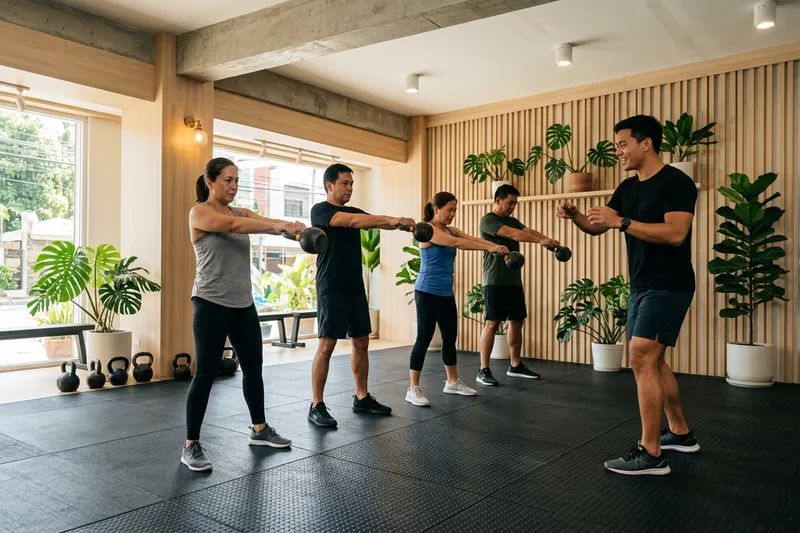
Demo Gym
A class schedule with spots left, members who join and cancel online, check-in with a member ID, day passes, a signed waiver with a health check, personal training bookings and reports.

Demo Photo Studio
Session packages with the number of edited photos and a ready-by date, a downpayment to hold the date, photo status after the shoot, a proof gallery where clients pick favorites online, photo-use consent, home-service makeup, event coverage on request and reports.
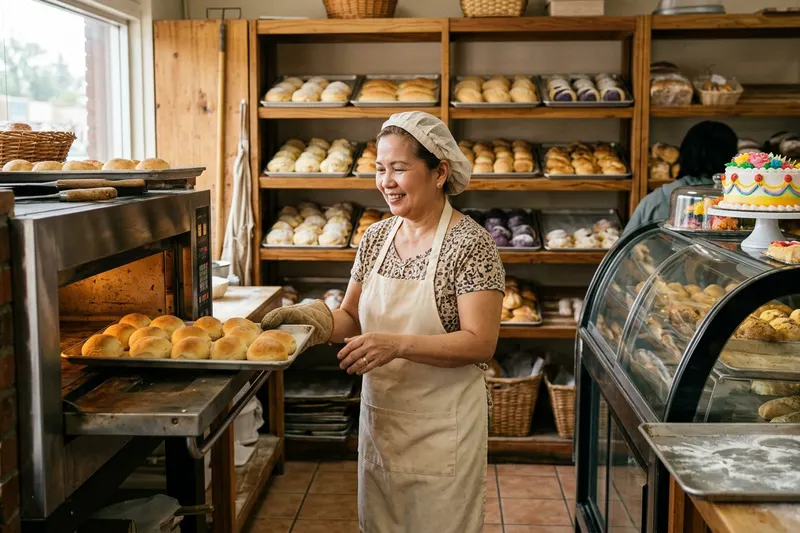
Demo Bakery
Bread for today and cakes to pre-order up to 30 days ahead, days of notice per item, a daily cake limit with Full days, the message on the cake, custom cake requests with the final price at Accept, a downpayment paid to the shop, allergens, a Bake list and counter selling.

Demo Catering
Per-guest packages with a minimum headcount and "pick 3 viands", party trays and add-ons, the event details (occasion, guests, delivery or full service, venue), 3 events a day with Full days, custom event quotes with the final price at Accept, a downpayment paid to the shop, and Event sheets with what to cook.
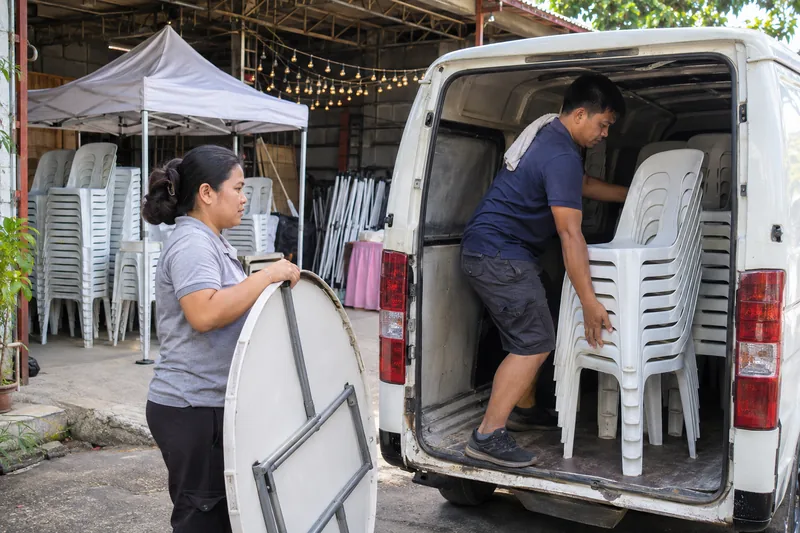
Demo Rentals
Tables, chairs, tents, sound and costumes with how many are free on the customer's dates, a pickup day and number of days, pickup or delivery, the security deposit taken at hand over and given back at the return minus late or damage fees, an ID photo only with the customer's consent (deleted after the return), and a Rentals board with what goes out, what is out and what is late.

Demo Tutoring Center
Parents book a lesson for their child with a first name and grade only, after a parent or guardian tick; adult learners book for themselves. Small homework groups and review classes with spots left, online lessons with your own meeting link, tuition plans per student with online cancel, session notes the parent reads after every lesson, and a Students page.
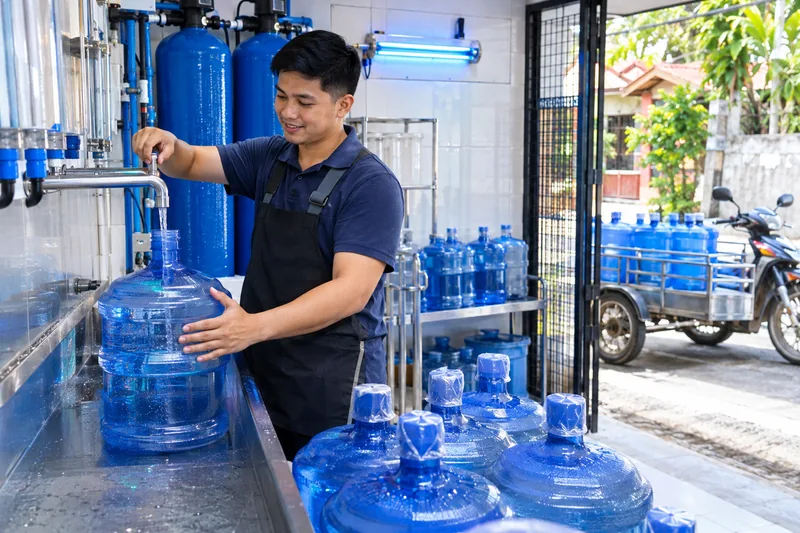
Demo Water Station
Customers order refills for delivery or pickup with your delivery fee, free from 3 items. A Deliveries board sends each order out with a rider, marks it delivered with full containers left and empties taken back, and lists the cash each rider hands in. Containers per customer, regular deliveries due for refill, a reorder QR for each gallon, and a water quality log with lab tests and filter changes.

Demo Private Pool Resort
Guests reserve a visit day up to 60 days ahead: day tour or night swimming per head, a kubo or big cottage, or a private pool by block (day, night or 22 hours). Daily limits stop overbooking, cottages and pools ask a 50% downpayment to your own GCash or Maya, and Arrivals shows who is coming, how many heads and what they booked, with Check in at the gate.

Demo Pet Hotel
Pet parents pick drop-off and pick-up dates, tell you their pet's size and vaccine date, and hold a kennel with a deposit to your own GCash or Maya. One kennel calendar so no kennel is booked twice, a vaccine card check at drop-off, a groom before going home, and a care board where your attendant ticks feeding, walks and medicines without seeing owners' numbers or money.
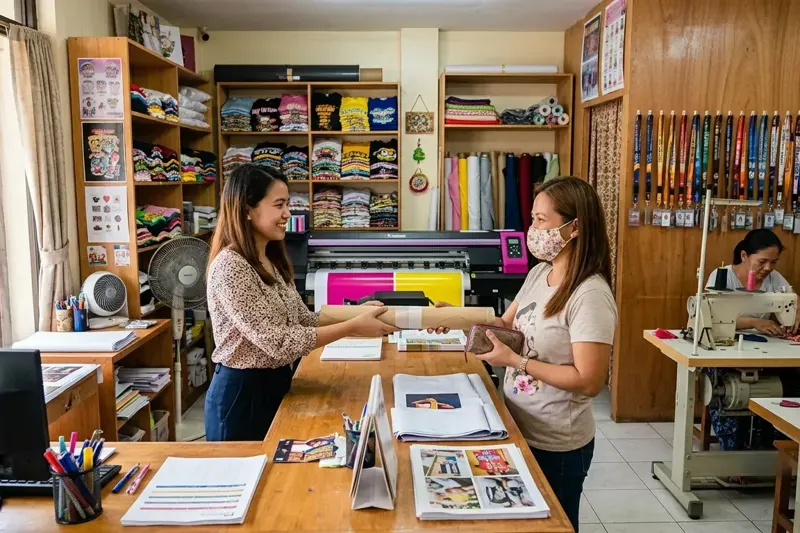
Demo Print & Sewing Shop
Customers order a banner priced by its size, shirts and IDs that get cheaper by the dozen, or a uniform with their measurements. They paste a link to their design or ask you to make it, pay a 50% downpayment to start, and approve your proof on their phone before anything is printed. The Jobs board shows what needs a price, a proof, the customer's answer, production or pickup.
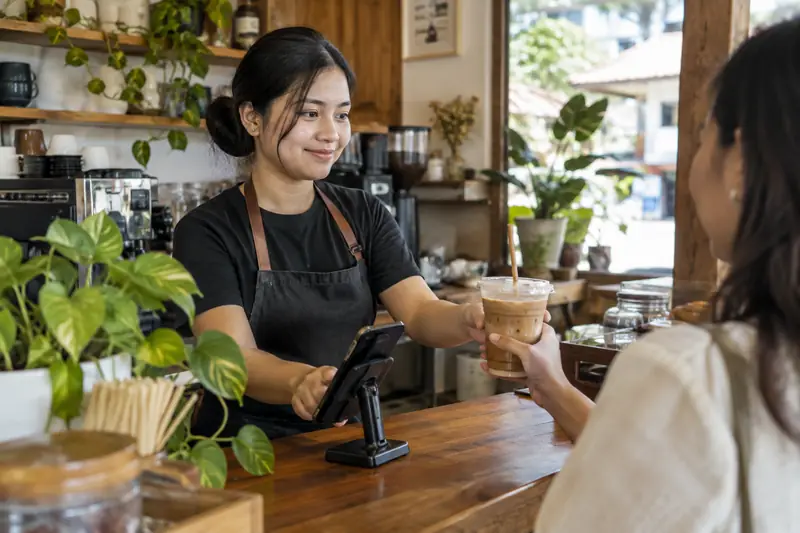
Demo Café
Order ahead for pickup or scan a table QR for dine-in, the bar and kitchen queue with a status per item, accept or reject app orders, counter sale and Close the day, stamp card and reports. Three designs to switch between.
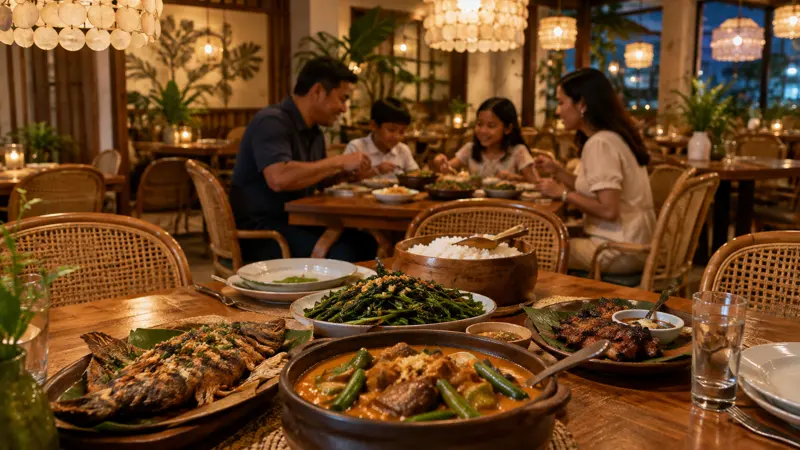
Demo Restaurant
Scan a table QR to order and call a server, the kitchen and drinks bar queue with a status per item, accept or reject online orders, takeout, counter checkout and reports.
Demo Food Stall
Order ahead with a status page, the queue with a status per item, counter sell that keeps working with no signal, Close the day and reports. Switch between Solo (₱199 a year, one person) and the full Food Stall edition at the top.
Demo Online Seller
Products with photos and stock, order now or pre-order with pickup or meet-up, the order queue, a sell screen for bazaars and live selling, utang and huluganpay later and installments per customer, and reports.
Client shops are never shown here without the owner's written permission. Every demo is a made-up shop.
Help & how-to
Watch it work, one product at a time.
A one-minute intro for every product, then short how-tos for each feature, recorded on the demo shops. Pick your product below. The same videos are on our YouTube channel, OwnerFlowHQ Support.
New videos are added as features ship. Tap Tell me when it's ready on any clip and we email you once it's up. Every video uses fictional shops and sample data.
Pricing
Priced by shop size, never by features.
Every shop gets the same full app. The monthly price depends only on how big the shop is and how many people sign in. Prices are flat: the price you start on is the price you keep paying.
Showing Philippine (PHP)international (USD) pricing. Change it in the footer.
Solo
1 person
One payment a year. No monthly fee.
See Solo in the store- Food stall, online seller or sari-sari store
- Just you: one owner sign-in on up to 2 phones
- Menu or products, orders for pickup, counter sell, Close the day, sales reports
- No crew sign-ins, expenses, profit or activity log
Micro
Most popular1–2 staff
Flat price. No increase in year two.
Get started- Your own booking or order site
- Full app: booking, POS, staff app, reports
- Owner and staff logins
- Light / dark, export your data
Small
3–5 staff
Flat price. No increase in year two.
Get started- Everything in the full app
- Front desk login included
- Payroll prep and commission
- Close the day cash counter
Shop
6–12 staff
Flat price. No increase in year two.
Get started- Everything in the full app
- Team scorecards, up to 19 reports
- Weekly payouts and statements
- 13+ staff: ask for a quote
Day 15 of your setup period, or buying Solo? Pay now with PayPal.
Solo
1 person
Flat price. No increase in year two.
Get started- Your own booking site
- Full app: booking, staff app, reports
- One location
- Light / dark, export your data
Small
Most popular2–5 staff
Flat price. No increase in year two.
Get started- Everything in the full app
- Owner, front desk and staff logins
- Payroll prep and commission
- Close the day cash counter
Shop
6–12 staff
Flat price. No increase in year two.
Get started- Everything in the full app
- Team scorecards and reports
- Weekly payouts and statements
- Extra locations 30% off
Large
13+ staff
Flat price. No increase in year two.
Get started- Everything in the full app
- For the busiest floor
- Every role and login you need
- Extra locations 30% off
Day 15 of your setup period? Pay by card: Solo · Small · Shop · Large (monthly)Solo · Small · Shop · Large (yearly).
Per branch, all-in, month-to-month. Extra branches 30% off their plan. Flat prices: no increase in year two.
Per location, all-in, USD. Extra locations 30% off their plan. Flat prices: no increase in year two.
Automatic renewal: paid plans renew automatically every month (or every year on yearly) at the price shown, charged to the card you pay with, until you cancel. Cancel any time online in your billing account or by emailing support@ownerflowhq.com; your plan runs to the end of the paid period and does not renew. See the full terms.
Solo vs the full edition
Not everything in the demo is in Solo.
The live demos open on the full edition. Solo is the ₱199-a-year plan for one person, with the parts below switched off. Move up any time: same app, same data, nothing to copy.
Every plan includes
Same full app. Only the size changes.
No feature tiers and no unlock fees. A one-chair shop gets the same app as a twelve-chair shop.
Online booking or ordering
Your own address, My booking, and booking updates for your customers.
Phone POSCounter checkout
Walk-in sale, checkout, Senior/PWD discount, on-screen order summary.On Square shops, checkout stays in Square and our app reads the sales. On other shops: walk-in sale, checkout and an on-screen order summary.
Staff app
My day, My numbers and weekly statements, own numbers only.
Payroll prep
Commission rules once, weekly payouts from the same sales records.
Reports
Today, Insights, up to 19 reports, profit and break-even.
Website
Your logo and colours, phone first, map and Messenger built in.
Light and dark
Every screen, for every role.
Your data, always
Export everything as CSV any time.
The fine print, in plain words
No surprises on your bill.
Setup
Self-setup is free. Done-for-you setup is a one-time fee from ₱999$250. Custom design is quoted in writing.
Never charged
Per-SMS fees, per-booking fees, feature unlocks, a cut of your sales.
Paid extras, only if you want them
Your own domain name, a payment gateway's own fees, premium stock photos.Your own domain name, a payment gateway's own fees. Always flagged first, billed at cost.
Is there a lock-in contract?
Does the price go up after the first year?
Can I change plans when my team grows?
How do I pay?
All prices are in Philippine pesos. We are not VAT registered, so no VAT is added.
Prices in US dollars. Subscriptions are sold through our online reseller, which acts as Merchant of Record and handles card payment, any local sales tax or VAT, and billing support.
14-day setup period
Set up your shop before you pay anything monthly.
Try the live demo first. Then one setup form, and 14 days with our Smart AI Assistant to finish your shop. Your plan starts on day 15.
FAQ
The questions people ask under our ads.
Straight answers on price, setup, your data and how we work. Can't find yours? Ask us and we reply in writing.
Prices and payment
Magkano po?How much is it?
Is there a monthly fee?
Do I need my own domain?
Where is it hosted? Do I pay hosting?
Why so cheap? What's the catch?
Getting started
How does signing up work?
How many days to finish?
What happens when the setup period ends?
Can I cancel during the setup period?
Do you still make free drafts?
Can I see samples?
Why not a free website builder?
The app
Is there an APK? Is it on the Play Store?
Do you send SMS reminders?
Does the app issue receipts or invoices?
Your data and ownership
Who owns what? Can I leave?
Is my customers' data safe?
Talking to us
Can we talk on the phone?
What if I need help after going live?
No question matches that yet. Ask us and we answer in writing.
Still have a question?
Ask us. A person answers in writing.
Send the form with your question, or email hello@ownerflowhq.com. We reply within 1 business day.
About
Built by a systems manager who ran the numbers for real shops.
OwnerFlowHQ started inside working barbershops: payroll, commission, bookings and weekly reports for shops in Canada, run from the Philippines. The same tools, made affordable for shops here.
What we believe
Sell cheap, never look cheap. A ₱300-a-month shop deserves the same polish as a ₱30,000 one$5-a-month shop deserves the same polish as a $500 one.
How we work
Chat and email, written summaries, build-show-adjust. Minimal support by design: anything you'd message us about becomes a screen in the app.
What we don't do
No SMS, no invoices from the app, no holding your money, no showing your shop without your written OK.
Get started · Get a quote
Tell us about your shop. We reply in writing.
Tell us about your shop. We reply in writing with your plan, the agreement and your one setup form. Custom builds get a written summary and a quote.
Other ways to reach us
hello@ownerflowhq.com support@ownerflowhq.com billing@ownerflowhq.com Complaints: email support@ownerflowhq.com with "Complaint" in the subject. A person replies within 7 days, as required by the Internet Transactions Act.
Client sign in
Sign in happens inside your shop's own address.
Owners and staff sign in at yourshop.ownerflowhq.com (or your own domain) with Google or a 6-digit email code. No passwords.
Page not found
We couldn't find that page.
The link may be old or mistyped. Try one of these instead.
Legal
Terms, privacy, refunds, in plain words.
Our terms, privacy policy and refund rules, written plainly. Questions: support@ownerflowhq.com.
Terms of Service
Last updated 2026-11-17
Who we are
OwnerFlowHQ is the brand of OwnerFlowHQ Computer Programming Services, a sole proprietorship registered in the Philippines, at 196 Tanngulan St., Kaingen, Kawit, Cavite 4104, Philippines. "We", "us" and "our" mean OwnerFlowHQ.
What we provide
- Shop app subscription: access to the OwnerFlow Shop app for your business while your plan is active.
- Micro Apps: free apps and tools are free to use. No paid upgrade is on sale today. If one opens later, its price and terms are shown before you pay, and nothing already saved is locked when it ends.
- OwnerFlow Social: a tool at social.ownerflowhq.com to plan, approve and publish posts to the Facebook Pages, Instagram, TikTok and YouTube accounts you connect.
- Services: website and custom app builds, as described in a written quote you accept.
Shop app sign-up, setup period and billing
This section is the written agreement you accept at the end of the setup form.
- Solo plan: paid up front for the year. Your app is set up right after payment. If you never finish setting it up, ask within 7 days of payment for a full refund.
- Other plans (Micro, Small, Shop and up): you send one setup form with everything we need, then your shop opens with a 14-day setup period. Your plan starts on day 15, and the first month is paid on day 15. Cancel before day 15 and you pay nothing for the plan.
- Smart AI Assistant during setup: it helps you finish your shop (adding services, prices, staff, hours and imports) and saves a change only after you confirm it. If you still need help after the setup period, ask us about our done-for-you setup. Help & feedback and the in-app Guide stay on.
- Human help: a person setting up your shop for you, or a live setup session, is the one-time setup fee, paid before the work starts. With done-for-you setup, your 14 days start when your shop goes live.
- After that: your plan renews monthly (or yearly if you chose yearly) until you cancel. The price is shown on your plan and at sign-up; it is flat, with no increase in year two.
Record-keeping tools, not financial or invoicing services
Our apps record information you enter (bookings, sales, contributions, utang, hulugan, paluwagan schedules). They do not hold, collect, lend, invest or move money, and they are not invoicing systems. Order summaries made by our apps are not BIR invoices. You remain responsible for your own accounting, taxes and BIR compliance.
Your account and data
You own the data you enter and may export it at any time. We may suspend access for non-payment or misuse, with notice by email. On cancellation we keep your data for 30 days so you can export it, then delete it.
Prices and payment
Prices are in Philippine pesos for Philippine customers (VAT not added; non-VAT registered) and in US dollars for international customers. International subscriptions and Micro Apps are sold through our online reseller, which is the Merchant of Record for those orders and handles payment, sales tax or VAT, and billing questions. Philippine customers pay through PayPal one month or one year at a time: nothing renews or charges automatically, and we email a payment link before your paid period ends. International subscriptions renew until cancelled. One-time purchases are final except as set out in the Refund & Cancellation Policy.
Social media accounts you connect
When you connect a Facebook Page, Instagram, TikTok or YouTube account, you allow OwnerFlow Social to publish the posts you or your team schedule or approve, and to read what it needs to show their status. You are responsible for what you post and for following each platform's own rules: Meta's terms, TikTok's terms and, because our YouTube features use YouTube API Services, the YouTube Terms of Service, which you agree to by connecting a YouTube channel. A platform may limit what we can do (for example, keep posts private until it has reviewed our app); we tell you on screen when that applies. You can disconnect any account at any time.
Acceptable use
Don't use the apps for anything illegal, to send spam, to collect data without consent, or to resell access. Don't try to break or copy the service, or to reach another client's data.
Intellectual property
The OwnerFlow Shop app, the Micro Apps, their source code, our design kit, templates, build tools and documentation belong to OwnerFlowHQ. A subscription or purchase gives you a licence to use them for your own business; it does not transfer ownership or source code. Your data, your logo, your photos and your words stay yours. When a website-only project ends, you receive a copy of your own pages. For custom app builds, you get a licence to use the app for your business; a source-code buyout is available only if it is written in your quote.
Liability
We work to keep the apps running and back up data daily, but we can't promise they will never be interrupted, and we are not responsible for outages or changes at other services you connect. We provide the apps as they are. We are not liable for lost profits or indirect losses. Our total liability is limited to what you paid us in the last 12 months.
Complaints and law
Email support@ownerflowhq.com. A person answers within 7 days. We try to settle every complaint directly first; you may also bring it to the Department of Trade and Industry for mediation. Philippine law applies, and disputes go to the proper courts of Cavite.
Privacy Policy
Last updated 2026-11-17 · Data Privacy Act of 2012 (RA 10173)
We collect only what we need to give you our services, we never sell your details, and you can ask us to see, fix or delete them at any time. OwnerFlowHQ Computer Programming Services (see Company details) is responsible for the details described here.
What we collect
- From visitors: the inquiry form (name, business, email, needs), the page and the ad or post link that brought you to our site (kept with your form), and basic visit counts without cookies that identify you.
- From shop owners: shop details, staff names and emails, services, prices.
- From shop customers (on behalf of the shop): name, contact, bookings, orders, Senior/PWD details when a discount is claimed.
- From Micro App, RU Smart Games and Prompt Builder users: nothing personal. Your groups, members, payments, game progress, host details and saved prompts stay on your phone. Once a day, when online, the app sends anonymous counts only (how many groups and members, how many games played, how many prompts copied, how many shares), which you can switch off in the app. If you use the Suggestion box, we keep your message and, if you give one, your email to reply.
- From OwnerFlow Social users: your sign-in email, your team members' emails and roles, the posts, captions, photos and videos you upload or schedule, and an activity log of who did what. See Social media accounts you connect below for what we receive from Facebook, Instagram, TikTok and YouTube.
- From paid Micro App or upgrade buyers: the email used to buy, to send and resend your key.
- From the free Secret Santa tool (ownerflowhq.com/secret-santa): the names the organizer types, any emails the organizer adds, optional wish notes, and when each person drew. Mobile numbers in an uploaded list stay on the organizer's own phone and are never sent to us. Who drew whom is stored encrypted with each person's private link, so even we cannot read it.
We do not collect card numbers. Payments are handled by the payment provider, which shows us only the result.
Social media accounts you connect (OwnerFlow Social)
When you connect an account, the platform asks you to approve exactly what we may do. We use what we receive only to publish the posts you schedule or approve, show whether each post went out, and show the account's own stats and comments to you and your team. We never sell it, never use it for advertising, never share it with other clients, and never use it to train AI models.
- Facebook and Instagram (Meta): the Pages and Instagram business accounts you pick, their names and IDs, an access key, and, where you switch it on, comments and page stats.
- TikTok: your TikTok profile ID, display name and picture, the posting options TikTok allows for your account, and an access key. We use it only to send the videos or photos you schedule and check that they posted.
- YouTube (Google): your channel's name and ID, and an access key that lets us upload the videos you schedule (permissions: upload videos and view your YouTube account). OwnerFlow Social uses YouTube API Services; see the YouTube Terms of Service and the Google Privacy Policy. OwnerFlowHQ's use and transfer of information received from Google APIs to any other app will adhere to the Google API Services User Data Policy, including the Limited Use requirements. We use this YouTube data only to upload and schedule the videos you choose, check that they posted, and show their view, like and comment counts on your Numbers page and in your weekly report email. We never use it for advertising, never sell it, and never use it to train AI models. It is shared only with the service providers that run the app for us: Cloudflare (hosting and storage) and Resend (which sends the weekly report email to your team); videos you post go to YouTube itself. The access key is stored encrypted and used only by OwnerFlow Social's own servers. When you click Disconnect, the key is deleted right away and any posts not yet sent to that channel are cancelled; you can also remove our access any time at myaccount.google.com/permissions. To have your uploaded videos, saved stats and channel details deleted, follow Delete my data below.
Access keys are stored encrypted and are never shown to anyone, our team included. Stored statistics from a platform are refreshed or deleted at least every 30 days. You can remove our access at any time: disconnect the account in OwnerFlow Social, or remove OwnerFlowHQ in the platform itself (Facebook or Instagram: Settings, Apps and websites; TikTok: Settings and privacy, Security and permissions, Apps and services permissions; Google: myaccount.google.com/permissions). We then delete the access keys and the details we received from that account within 30 days (see Data deletion).
How we use it
To reply to you, run your shop app, send reminders you chose (email, push, in-app), issue payment confirmations and give support. Shops are the controllers of their customers' data; we process it for them. Secret Santa emails (the invite, a sign-in code and the name you drew) are sent only for that group, never for marketing, and those addresses are never added to our contact list.
Who else sees it
Only the OwnerFlowHQ team, and these service providers acting for us: Cloudflare (hosting, database and file storage; PH shop data stays in the Asia-Pacific region), Google Workspace (sign-in and our email), Resend (transactional email), PayPal (payments in the Philippines), Polar, our online reseller and Merchant of Record (international payments), Anthropic (AI assistant features, see the AI disclosure). When you post through OwnerFlow Social, the content goes to the platforms you chose (Meta, TikTok, Google/YouTube) under their own privacy policies. Some providers store data outside the Philippines, including in the US; we choose providers with strong security and remain responsible for your details. If a partner referred you, they may see your name, business name and whether you became a client. We never sell data.
AI
We use AI (Claude, by Anthropic) to help run our business and in some app features. People review anything that affects you, and we do not use AI to make automatic decisions about you. The shop owner's Setup helper sends the owner's question and the shop's setup (services, prices, hours, team names, rules) to our AI provider only to write the answer; customer names, phone numbers, bookings, sales, expenses, PINs and sign-in emails are never sent, and it saves a change only after the owner taps Confirm. Details from connected social accounts are never sent to AI.
Security
Data is encrypted in transit, access keys are encrypted at rest, access is limited to the people who need it, changes are logged, and backups run daily. If a breach puts you at real risk, we will tell you and the National Privacy Commission within 72 hours of finding out.
Cookies
Only what the apps need to work: your sign-in session and your light or dark theme choice. Website visit counts use no cookies and no IP addresses. No advertising or tracking cookies.
Your rights
You can ask to see, correct, export or delete your details, object to how we use them, or withdraw your permission, by emailing support@ownerflowhq.com. We reply within 5 business days and complete requests within 30 days. To delete your data, see Data deletion. Unsubscribe from marketing with one click. If you are a shop's customer, contact the shop first; you can also write to us and we will pass your request on. You may complain to the National Privacy Commission (Philippines) or your local privacy authority. Data Protection Officer: support@ownerflowhq.com.
Retention
Shop data for as long as the shop subscribes plus 30 days. Inquiry form data for 12 months. Secret Santa groups, with their names and emails, are deleted automatically 30 days after the party date (120 days after creation when no date is set), or right away when the organizer deletes the group. Free shop drafts: a draft nobody opens for 60 days is switched off, and 30 days later the shop details in it (and any changes or photos sent from it) are deleted; the answers you sent us are kept so we can make it again, until you ask us to delete them. OwnerFlow Social: posts, media and connected-account details for as long as the account stays connected and your organization is active; access keys and platform details are deleted within 30 days of disconnecting. Invoices and payment records as the law requires (in the Philippines, up to 10 years).
Age
Our services are for businesses and adults, not for anyone under 18.
Changes
We post changes on this page with a new date, and email clients about important ones.
Refund & Cancellation Policy
Last updated 2026-11-17
Micro Apps
Free Micro Apps cost nothing and need no sign-up. For paid apps and upgrades, try the free version first. After purchase, a refund within 30 days if the app is defective, is not as described, or could never be unlocked. No refunds for change of mind. Email billing@ownerflowhq.com with your payment reference.
Shop app subscription
Setup period: cancel any time before day 15 and you pay nothing for the plan; anything already paid for the plan is refunded in full. Solo: a full refund if you ask within 7 days of payment and never finished setting up your app. After that: cancel any time by email; your plan runs to the end of the paid period and does not renew. No pro-rated refunds for partial months. Setup fees cover work already done and are not refundable once the work has started.
Custom builds and websites
Deposits are credited to the build. If you cancel before work starts, the deposit is refunded. After work starts, the written quote sets what is refundable per milestone.
How refunds are paid
Back to the same PayPal account or card used, within 10 business days of approval.
Data deletion
Last updated 2026-11-16
You can ask us to delete your details at any time. We confirm within 5 business days and finish within 30 days.
How to ask
- Email support@ownerflowhq.com from the email address you used with us, with the subject "Delete my data".
- Tell us what to delete: everything, or one thing (for example your inquiry, your shop draft, or a connected Facebook, Instagram, TikTok or YouTube account).
- We may ask you to confirm from that email address, so we never delete someone else's details by mistake.
If you connected a social media account
You can remove our access yourself at any time, without emailing us: disconnect it in OwnerFlow Social (Connections), or remove OwnerFlowHQ in the platform: Facebook or Instagram (Settings, Apps and websites), TikTok (Settings and privacy, Security and permissions, Apps and services permissions) or Google (myaccount.google.com/permissions). We then delete the access keys and the details we brought in from that account within 30 days. Posts already published stay on the platform; delete them there if you wish.
If you are a shop's customer
Your details in a shop's app belong to that shop. Ask the shop to delete them, or email us and we will pass your request on and help them do it.
What we keep after deletion
- Your email and the date you unsubscribed, only so we never email you again.
- Invoices and payment records the law requires us to keep (in the Philippines, up to 10 years).
- Backups, which are overwritten within 30 days.
AI disclosure
Last updated 2026-11-16
Some features use AI (Anthropic's Claude): the in-app Ask-us bot, draft replies to inquiries, and setup suggestions. AI answers are checked by a person before anything about money, refunds, prices or complaints is sent. Your data is not used to train AI models, and we do not use AI to make automatic decisions about you. AI can be wrong, so check its output before acting on it. Details from social media accounts you connect are never sent to AI. You can always ask for a human by emailing support@ownerflowhq.com.
Company details
Required on this site under the Internet Transactions Act (RA 11967).
- Registered business name: OWNERFLOWHQ COMPUTER PROGRAMMING SERVICES (sole proprietorship), doing business as OwnerFlowHQ
- Registered address: 196 Tanngulan St., Kaingen, Kawit, Cavite 4104, Philippines
- Phone: +63 964 561 6556
- Email: hello@ownerflowhq.com · support@ownerflowhq.com
- Complaints: answered by a person within 7 days